Skip to content
MegaPok
EN
Download
  1. MegaPok
  2. What is MegaPok
  3. How to sell food online

How to sell food online

If you sell lunches, empanadas or desserts from home, or run a small restaurant, you can take orders on MegaPok without a monthly fee. Only a commission is deducted from orders you get paid for.

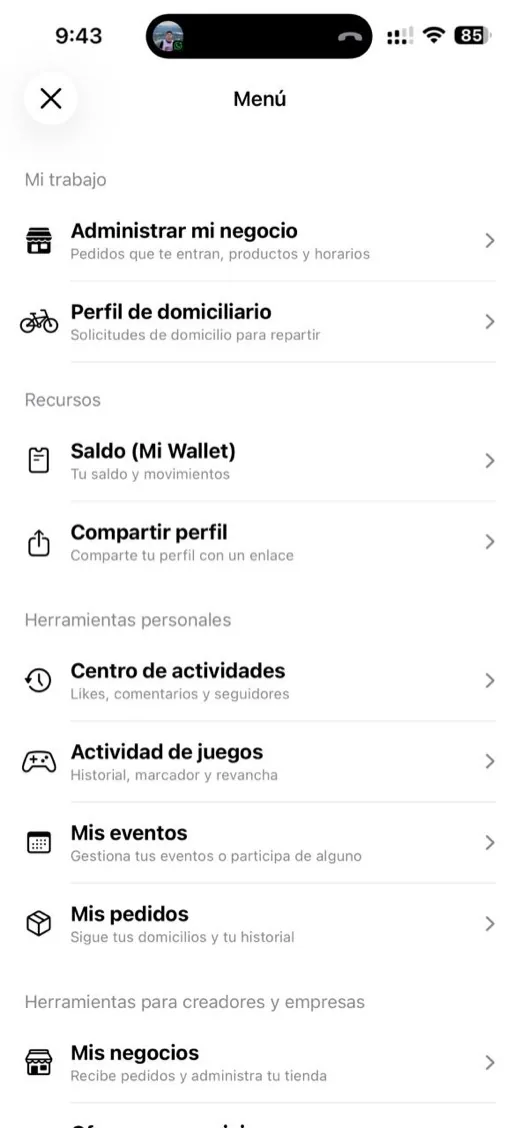
Real MegaPok screenshot: How to sell food online

Your menu in ten minutes

Take a photo of the menu taped to your wall, or upload the PDF, and the AI builds the products with names and prices. You review, fix and add photos. You set your hours and delivery area.

Orders and deliveries

Orders arrive in Messages, under “My business orders”, and in the business dashboard on your computer (megapok.com/negocio). You deliver with your own riders (you invite them from the dashboard, under “Delivery drivers”) or the customer picks up. Customers pay with their balance or in cash on delivery.

Getting found

Your business gets its own page to share on WhatsApp and Instagram. If you want more reach, promote a post with credits so people near your place see it.

  1. Create the shopIn the app: Profile › ☰ › “Manage my business”.
  2. Upload your menuBy hand or with a photo of it.
  3. Set hours and areaSo you only get orders when you can deliver.
  4. Take ordersIn Messages and on the computer dashboard.
Frequently asked questions

How much does it cost to sell on MegaPok?

Creating the shop is free. Only a commission is deducted from paid orders.

Can I sell if I cook at home?

Yes. You don't need a storefront: you need hours and an area you deliver to.

Who delivers the orders?

Your own delivery riders, whom you invite from the dashboard. You can also offer “pickup”.

Which cities does it work in?

Wherever there are riders and customers. Today most activity is in Medellín and the Aburrá Valley.

Download MegaPok for free.

Native app for iPhone and Android. Search for “MegaPok” or use these buttons.

Download MegaPok on the App StoreGet it on Google Play